Plik LMHOSTS
- Politechnika Śląska
- Systemy operacyjne
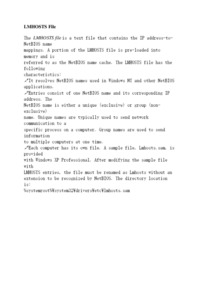
LMHOSTS File The LMHOSTS file is a text file that contains the IP address-to-NetBIOS name mappings. A portion of the LMHOSTS file is pre-loaded into memory and is referred to as the NetBIOS name...
Ta witryna wykorzystuje pliki cookie, dowiedz się więcej.
LMHOSTS File The LMHOSTS file is a text file that contains the IP address-to-NetBIOS name mappings. A portion of the LMHOSTS file is pre-loaded into memory and is referred to as the NetBIOS name...
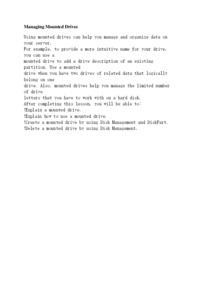
Managing Mounted Drives Using mounted drives can help you manage and organize data on your server. For example, to provide a more intuitive name for your drive, you can use a mounted drive to add a drive description of an existing partition. Use a mounted drive when you have two drives of relate...
NetBIOS Names Although Windows XP Professional does not require NetBIOS names, Windows NT 4.0 and other earlier operating systems require NetBIOS names to support networking capabilities. NetBIOS is a standard application programming interface ...
nslookup Utility nslookup is a command-line utility that you can use to query and troubleshoot your DNS installation. Name resolution errors can result if one or more of the following occur: DNS client entries are not configured correctly. ...
Overview One of the tasks that you perform when administering a server is managing disks. By knowing what tools are available to set up and manage disks and what capabilities are provided by Microsoft® Windows® Server 2003, you can better manage disk drives and use advanced features, such as cre...
Planning a Microsoft Windows XP Professional Installation Objectives After completing this lab, you will be able to plan an installation of Microsoft Windows XP Professional: Lab Setup To complete this lab, you need the following: A computer running Windows 98. A Windows XP Professional comp...
Preparing Disks When you install a new disk, Windows Server 2003 recognizes it and configures it as a basic disk. A basic disk is the default storage medium and provides limited configuration capabilities. This lesson describes how to partition...
Preparing the Hard Disk After you configure the reference computer, you must use the System Preparation tool, Sysprep.exe, to remove all information that is unique to the reference computer, such as the SID and computer name. By removing this information, you can prevent security problems that c...
Preparing Your System Preparing your system for an upgrade is as important as planning an installation. Systems that are not properly prepared may have problems during or after the upgrade. Use the following tasks to prepare your system for upg...
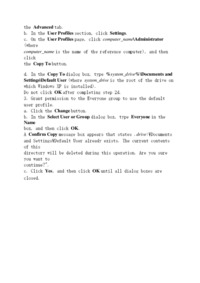
Preserving Custom User Settings When you log on and create an image, changes to the image are contained within the profile for the user account that is logged on. Some of the changes that you make to the image may require administrative user rights. Therefore, to create an image, you must log on...